


Introduction to Cursor Code Editor
The rapid evolution of artificial intelligence has significantly changed the way developers write and manage code. One of the most notable innovations in this space is the Cursor, an AI-first development tool designed to enhance productivity and simplify complex coding tasks. Built with modern developers in mind, Cursor combines the familiarity of traditional editors with powerful AI capabilities that can generate, edit, and explain code in real time.
As the demand for faster development cycles continues to grow, tools like cursor code editor are becoming essential rather than optional. Developers today are expected to build scalable applications quickly while maintaining high-quality standards. Cursor addresses this challenge by acting as an intelligent assistant that understands both code and intent, making it easier to turn ideas into functional software without unnecessary delays.
The Evolution of Code Editors in the AI Era
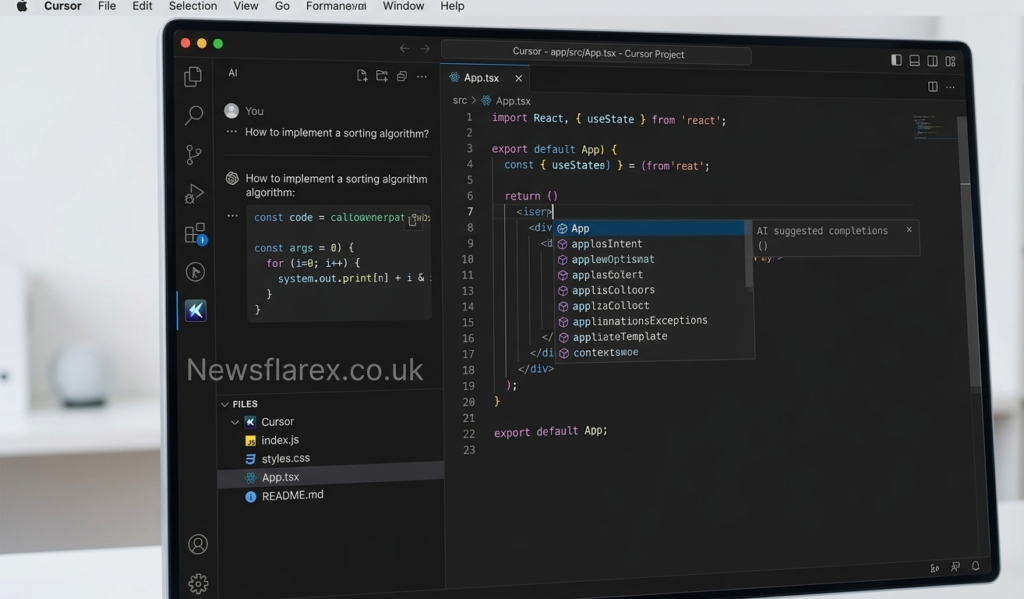
Code editors have come a long way from simple text-editing tools to highly sophisticated development environments. Early editors focused primarily on syntax highlighting and basic formatting, but modern tools now offer advanced features such as debugging, version control integration, and intelligent suggestions. The introduction of AI has taken this evolution to a completely new level.
Cursor represents the next step in this journey. Unlike traditional editors such as Visual Studio Code, which rely on plugins for AI functionality, Cursor integrates artificial intelligence at its core. This shift allows developers to interact with their code in a more natural way, using plain language instructions instead of manually writing every line. As a result, the cursor code editor transforms coding into a more intuitive and efficient process.
Core Features That Define Cursor
Cursor stands out because of its deeply integrated AI features that go beyond basic autocomplete. One of its most powerful capabilities is context-aware code generation, where the editor analyzes the entire project to provide accurate suggestions. This ensures that the generated code aligns with the existing structure and logic of the application.
Another defining feature is natural language editing. Developers can describe what they want to achieve, and Cursor translates those instructions into code changes across multiple files. This reduces the time spent on repetitive tasks and allows programmers to focus on higher-level problem-solving. These features make cursor code editor particularly useful for both beginners learning to code and experienced developers managing large projects.
How Cursor Improves Developer Workflow
Modern software development often involves juggling multiple tasks, including writing code, debugging, testing, and documentation. Cursor simplifies this workflow by automating many of these processes. Its AI assistant can identify errors, suggest fixes, and even implement improvements without requiring constant manual input.
This streamlined workflow leads to increased productivity and reduced cognitive load. Developers no longer need to switch between tools or search extensively for solutions, as Cursor provides relevant insights directly within the editor. By minimizing interruptions and enhancing focus, cursor code editor enables developers to complete projects more efficiently while maintaining high standards of quality.
Supported Languages and Development Environment
Cursor is designed to support a wide range of programming languages, making it suitable for diverse development needs. Whether working on web applications, mobile apps, or backend systems, developers can rely on Cursor to provide intelligent assistance tailored to their specific language and framework.
Since Cursor is built on the foundation of Visual Studio Code, it inherits a robust ecosystem of extensions and customization options. This compatibility ensures that developers can personalize their environment according to their preferences. The flexibility offered by cursor code editor allows it to fit seamlessly into existing workflows, making adoption easier for teams and individuals alike.
Real-World Applications and Use Cases
The practical applications of Cursor extend across various industries and project types. In web development, it can generate frontend components, optimize backend logic, and streamline API integration. For startups, it helps accelerate product development by reducing the time required to build and test features.
Large organizations are also exploring the benefits of AI-powered editors. By integrating Cursor into their workflows, teams can improve collaboration and maintain consistency across projects. The ability to quickly understand and modify large codebases makes cursor code editor a valuable asset for companies aiming to stay competitive in a fast-paced technological landscape.
Limitations and Responsible Usage
While Cursor offers impressive capabilities, it is important to recognize its limitations. AI-generated code is not always perfect and may require careful review to ensure accuracy and security. Developers must remain actively involved in the process, verifying outputs and making necessary adjustments.
Another challenge is the potential over-reliance on automation. While Cursor can handle many tasks, critical thinking and problem-solving skills remain essential. Using cursor code editor responsibly means treating it as a supportive tool rather than a complete replacement for human expertise.
The Future of AI in Coding
The rise of AI-powered tools like Cursor signals a major shift in how software is developed. As machine learning models continue to improve, these tools are expected to become even more accurate and capable. Future versions may offer deeper integration with development pipelines, enhanced debugging capabilities, and more personalized assistance.
This transformation is likely to redefine the role of developers, shifting the focus from manual coding to strategic thinking and system design. In this evolving landscape, tools such as cursor code editor will play a central role in shaping the future of programming and innovation.
Conclusion
Cursor has emerged as a groundbreaking tool in the world of software development, combining the strengths of traditional code editors with the power of artificial intelligence. Its ability to generate, edit, and analyze code in real time makes it an invaluable resource for developers seeking efficiency and accuracy.
By understanding its features, benefits, and limitations, developers can make the most of what Cursor has to offer. As technology continues to advance, embracing tools like cursor code editor will be essential for staying competitive and delivering high-quality software in an increasingly demanding environment.
